

 ₹https://wificonnections.hathway.com/hathway/mumbai/mulund-east/hathway-fiber-broadband-in-mulund-east-mumbai--4fOqRM/articles/what-to-check-before-taking-a-new-wi-fi-connection--03aa0407-a6fe-48ff-9db4-e1e9a789f56f
Hathway Fiber Broadband, Mulund East, mumbai
Internet Service Provider Store in Mulund East, Mumbai, Maharashtra
Second Floor, Jyoti Chember, Bld lt Road, Mulund East, mumbai, maharashtra - 400081
Get a Call Back for a new connection
Hathway Fiber Broadband Social Feeds in Mulund East, mumbai
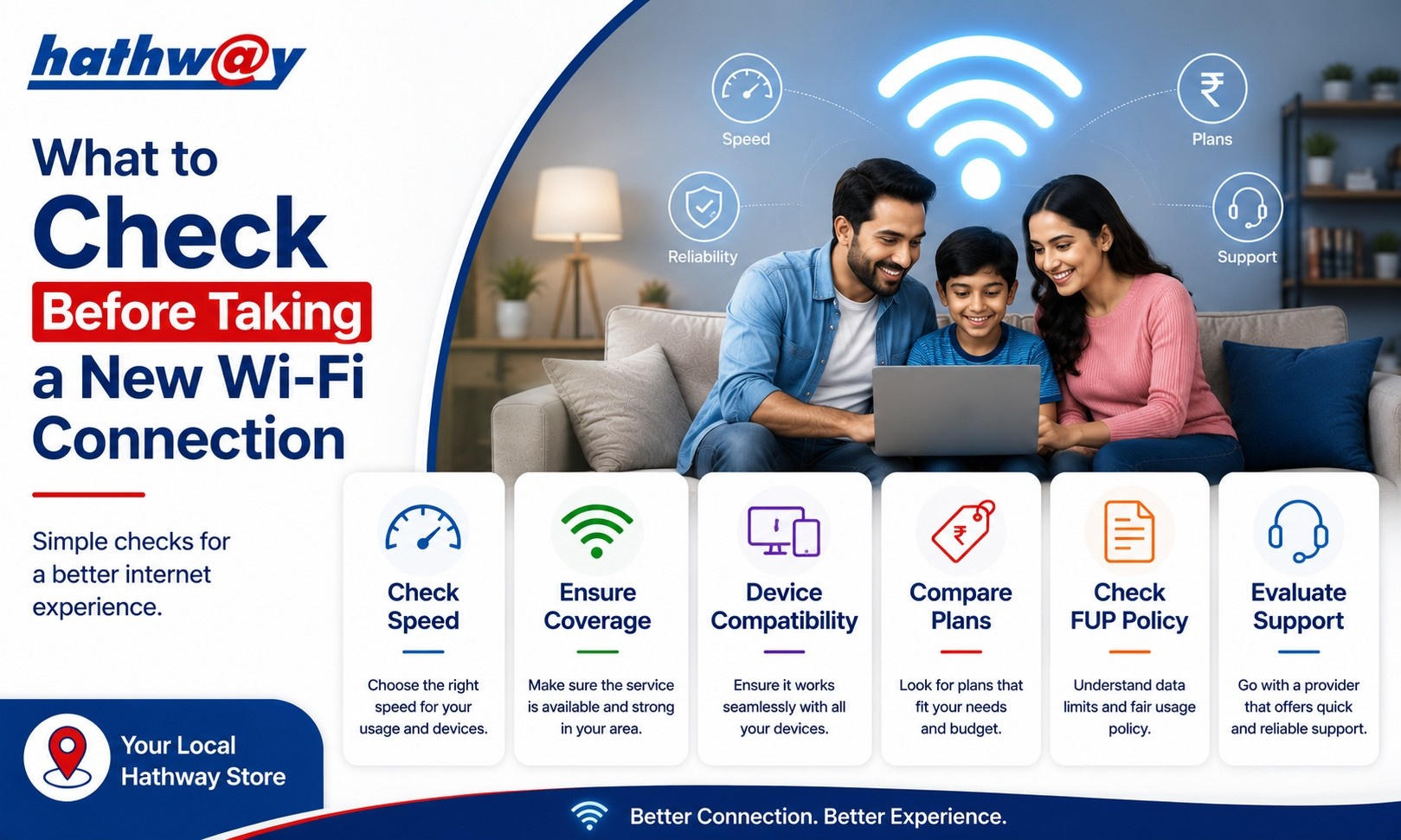
What to Check Before Taking a New Wi-Fi Connection in Mulund East, mumbai
Getting a new Wi-Fi connection can seem straightforward. Pick a plan, complete the connection process and start browsing.
But the plan itself is only one part of the decision.
Before taking a new Wi-Fi connection in Mulund East, mumbai, it is worth checking whether the service is available at your address, what speed suits your household, what equipment is provided, what the applicable installation terms are and how you can get support if something goes wrong.
Doing this homework before signing up can help you avoid choosing a connection based on a headline speed alone.
Hathway's official broadband website allows users to select their city and explore residential broadband options. Availability and plan details can differ by location.
1. Check Whether Broadband Is Available at Your Address
A broadband provider may offer services in your city without necessarily having the same availability at every address.
This makes address-level availability one of the first things to check.
When looking for a broadband connection near me, do not rely only on general search results. Check the provider's official availability process and provide the correct location details.
Hathway's website provides city-specific residential broadband pages, making it possible to review the options associated with different locations.
2. Understand Your Household's Internet Usage
Before comparing plans, understand what you actually do online.
Think about:
Video streaming
Video meetings
Online classes
Gaming
Large file downloads
Cloud applications
Smart TVs
Multiple smartphones and laptops
Simultaneous users
Someone living alone with basic browsing needs does not necessarily require the same broadband capacity as a family with several active devices.
The goal is to select a connection that fits your usage without making the decision purely about the biggest speed number.
3. Compare Speed, Not Just the Plan Name
Broadband providers may use names such as beginner, family, premium or work-from-home to describe different plans.
The useful comparison is the actual service details.
Look at:
Advertised speed
Plan validity
Router information
Installation terms
Applicable charges
Additional inclusions, if any
Hathway's residential broadband pages currently show different plan categories and speeds depending on the city. For example, its Delhi page lists plans ranging from 40 Mbps to 300 Mbps, while other city pages show different combinations.
This is why you should always check the current plan page for your own location.
4. Check What Router Is Included
The router plays an important role in your everyday Wi-Fi experience.
Hathway's current city-specific broadband pages list Wi-Fi router options with several plans, including 5GHz dual-band routers for selected plans.
Before taking a connection, check the exact router information attached to the plan you are considering.
Also consider where the router will be installed. Even a good broadband connection can perform poorly in a distant room if the Wi-Fi signal has to pass through multiple walls.
5. Understand Installation and Other Charges
Do not assume that every plan has identical installation terms.
Hathway's current plan pages show that installation charges and other terms can vary depending on the plan and city. For example, selected Delhi plans currently show zero installation charges, while the exact conditions differ across plans.
Before confirming a new broadband connection, check:
Installation charges
Security deposit, if applicable
Validity
Payment terms
Offer conditions
Taxes or other applicable charges
Always verify the latest information on the official website because these details can change.
6. Check How You Can Manage the Connection
Convenience matters after installation too.
Hathway's website provides options for broadband self-care, quick recharge, customer support and account-related services.
The provider also states that its broadband app can be used for tasks such as paying bills, renewing the connection and upgrading plans where applicable.
Understanding these options before subscribing gives you a clearer idea of how you will manage your connection later.
7. Look at Support and Troubleshooting Resources
Internet problems do not always require a support call.
Hathway provides troubleshooting guidance for common Wi-Fi performance issues. Its FAQ recommends checking speed, Wi-Fi settings, router positioning, interference, connected devices and the health of the device when Wi-Fi is slower than expected.
It also provides a dedicated speed-testing option through its broadband resources.
Knowing where to find these resources can save time when diagnosing a problem.
8. Think About Router Placement Before Installation
A common mistake is to install the router wherever the broadband cable happens to enter the house.
If possible, plan the router location before installation.
A central and elevated position can help distribute the Wi-Fi signal more effectively. Avoid placing it behind large objects, inside enclosed cabinets or close to sources of interference.
Hathway's own guidance highlights router positioning, distance and interference as factors that can affect Wi-Fi performance.
9. Check Whether the Connection Matches Your Future Needs
Internet usage tends to change.
A connection that works for one person today may feel insufficient when another family member starts working from home, a child begins online classes or more smart devices are added.
Think six to twelve months ahead.
You do not need to overbuy, but choosing a plan with reasonable room for growth can be more practical than selecting the absolute minimum.
FAQs
What should I check before getting a new Wi-Fi connection?
Check availability, speed, usage requirements, router details, installation terms, validity, charges and customer support options.
How do I choose the right Wi-Fi plan?
Start with the number of users and devices, then consider activities such as streaming, gaming, video calls and large downloads.
Does router placement affect Wi-Fi speed?
Yes. Distance, walls, interference and router positioning can affect the Wi-Fi experience even when your broadband connection itself is working properly.
Are Hathway broadband plans the same in every city?
No. Hathway's official website shows different plans and speeds across different cities, so check the current options for your location.
Make the Connection Decision With Confidence
A new Wi-Fi connection should be selected around your household's needs, not just an advertised speed.
For anyone comparing broadband in Mulund East, mumbai, start by checking availability and current plan details on the official Hathway website. Then compare speed, router information, charges and service terms before making your choice.